Table of Contents
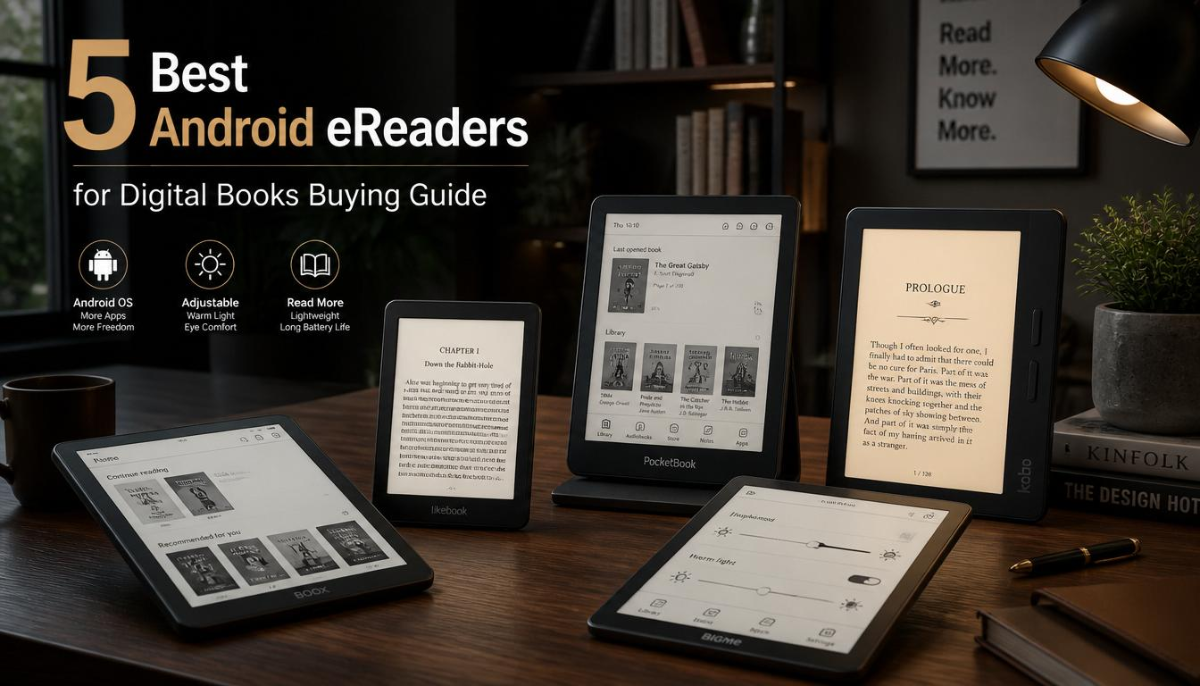
These are the perfect balance of E Ink display and flexibility of Android app. Because Best Android eReaders are based on Android, and unlike something like a traditional Kindle or Kobo, you can use the Google Play Store to install apps for reading; like Kindle, Kobo Books, Libby, Moon+ Reader or Google Play Books.
That said, Android eReaders will not be for everyone. These are generally pricier than basic eReaders, and you may find performance sluggish in Android runs slower on E Ink screens than it does on smartphones.
We test five popular Android eReaders and compares them based on display quality, software experience, battery life, app support, and real-world usability.
Quick Answer
Best Overall Android eReader: BOOX Page: Read More.
For different needs:
| User Need | Recommended Device |
| Best overall Android eReader | BOOX Page |
| Best premium reading experience | BOOX Tab Ultra C Pro |
| Best compact option | BOOX Palma |
| Best for handwriting notes | BOOX Note Air series |
| Best budget-friendly choice | Meebook M7 |
trackers for protecting valuable gadgets
Definition Box: What Is an Android eReader?
An Android eReader is an electronic reading device which uses the Android operating software together with an E Ink display. This allows for third-party reading apps, while offering a paper-like screen designed for hours of reading.
Unlike tablets, Android eReaders prioritize
- Eye-friendly reading
- Long battery life
- Minimal distractions
- Digital book management
- Overview: 5 Best Android eReaders
Comparison Table
| Device | Display | Best For | Main Strength |
| BOOX Page | 7-inch E Ink Carta | Everyday readers | Fast performance |
| BOOX Palma | 6.13-inch E Ink | Portable reading | Smartphone-like design |
| BOOX Tab Ultra C Pro | Color E Ink | Professionals | Large screen + features |
| BOOX Note Air Series | 10.3-inch E Ink | Notes and PDFs | Writing experience |
| Meebook M7 | 6.8-inch E Ink | Budget buyers | Affordable Android access |
Best All-Around Android eReader: BOOX Page
Of all the Best Android eReader on the market, the BOOX Page is one of the most well-rounded. Plenty powerful enough for a handful of reading apps while maintaining something closer to the compact design of a traditional eReader.
Key Features
- 7-inch E Ink Carta display
- Android operating system
- Google Play Store support
- Physical page-turn buttons
- Adjustable front light
Expandable storage support through microSD
Performance
Modern hardware plus optimized software means the BOOX Page simply performs better than most Android eReaders. It’s more fluid switching between apps than with slower budget alternatives.
- It works well with:
- Kindle app
- Kobo app
- Libby
- Google Play Books
- PDF readers
However, E Ink refresh restrictions persist. Scrolling through websites and watching videos will never feel like a smartphone experience.
Pros
- Fast for an E Ink device
- Excellent app compatibility
- Comfortable size
- Physical buttons improve reading comfort
- Good battery life
Cons
- Costlier than basic Kindle types
- Android interface requires some learning
- Not as good for serving multimedia heavy use
Who Should Buy It?
Otherwise, go for the BOOX Page if you need a single device that can play all of your books from all of your ebook ecosystems and not just be chained to one shop.
Best for Portability: BOOX Palma
The BOOX Palma would be for those readers who want a very portable eReader. For traditional eReaders, its actual form factor of a smartphone is extremely easy to carry.
Key Features
- 6.13-inch E Ink display
- Android OS
- Google Play Store
- Front lighting
- Pocket-friendly design
Performance
The Palma is unlike other eReaders because it’s the opposite of camera phones as a concept to me — it looks like a phone but isn’t one either.
- It is excellent for:
- Reading during travel
- Commuting
- One-handed reading
- Quick sessions
PDFs, academic papers, and magazines are harder to read on the smaller screen.
Pros
- Extremely portable
- Comfortable one-hand use
- Good battery efficiency
- Supports many reading apps
Cons
- Smaller screen for documents
- More costly than less expensive Kindle models
- Not suitable for writing notes
Who Should Buy It?
BOOX Palma — A Must-Have Book Reader for Everybody Who Reads Everywhere and Needs the Ultimate Portability
BOOX Tab Ultra C Pro (Best Premium Android eReader)
The Pro model of BOOX Tab Ultra C is catered to users, who require functionality beyond basic ebook reading. It has a E Ink screen that is very large and can display color, plus productivity meets.
Key Features
- Large color E Ink display
- Android operating system
- Stylus support
- Powerful hardware
- Note-taking features
Performance
However, this apparatus is ideal for professionals, researchers and students that regularly deal with documents.
It works well for
- PDF reading
- Digital textbooks
- Research papers
- Handwritten notes
E Ink display to be useful for diagrams, highlighted text and other materials but colors aren’t as vibrant as an LCD tablet.
Pros
- Large workspace
- Color E Ink technology
- Strong PDF handling
- Excellent note-taking ability
Cons
- High price
- Heavy compared with standard readers
- Color quality cannot match tablets
Who Should Buy It?
Get this device if both reading and writing matter. This is unnecessary for users that only read novels.
4-BOOX Note Air Series: Best for Students and Professionals
The BOOX Note Air series for productivity. It has a display large enough to be useful for people who read things or doodle with styli.
Key Features
- 10.3-inch E Ink display
- Pen support
- Android apps
- PDF annotation tools
- Large reading area
Performance
The most serious problem with Best Android eReaders — small displays make PDFs uncomfortable is solved by large screens.
Best suited for: The Note Air series is
- Medical students
- Researchers
- Business professionals
- Academic reading
Pros
- Excellent for PDFs
- Natural writing experience
- Large screen
- Good organization tools
Cons
- Not pocket-friendly
- Premium pricing
- Overkill for casual readers
Who Should Buy It?
This is ideal for users who use their eReader as a digital notebook.
Best android eReader/MeeBook M7
Meebook M7 provides some basic Android capabilities at more affordable price than premium BOOXs
Key Features
- 6.8-inch E Ink display
- Android system
- Google Play Store access
- Adjustable lighting
Performance
The Meebook M7 delivers basic Android reading features but tends to feel less polished than more expensive devices.
It is suitable for:
- Basic ebook reading
- Multiple reading apps
- Budget-conscious buyers
Pros
- Lower cost
- Android app support
- Comfortable reading display
Cons
- Slower performance
- Software experience might look a bit unfriendly
- Limited premium features
Who Should Buy It?
Go for Meebook M7 if you want flexibility of Android but dont have premium price
Important Facts About Digital Reading Technology
Solid figures in regard to Android eReader market share is hard to come by as manufacturers do not issue comprehensive sales numbers.
But there are few known facts:
E Ink also requires much less power than standard LCD screens as they don’t need constant backlighting.
E Ink technology is created to be anti-glare and easier to read outdoors.
The availability of smartphones, tablets, and dedicated readers has furthered the expansion of digital reading platforms since they allow for easier inclusion of electronic books.
UNESCO and others have already emphasized the need for access to digital learning material, particularly when book availability is limited.
How to Use Best Android eReader
Android eReaders come in handy when you
Read books from multiple platforms
If you use both Kindle and Kobo services, it would be nice to have the apps on a single device.
Read PDFs frequently
- Want fewer smartphone distractions
- Prefer long battery life
- This is not the Time to Use an Android eReader
Avoid buying one if you
- Desire a lightning fast surfing experience
- Watch videos frequently
- Need gaming performance
- Prefer bright tablet displays
Only read Kindle books
For less money, a basic Kindle or Kobo might give you a more straightforward experience.
Android eReaders: Common Errors Upon Buy
Expecting Smartphone Performance
Android eReaders not meant to be Tablet replacements E Ink screens are meant to be more comfortable than they are fast.
Ignoring Screen Size
A small screen is great for novels but maddening for textbooks and PDFs.
Buying Too Many Features
Premium note-taking, color displays, and powerful hardware are all nice to have but most readers do not need.
Forgetting App Compatibility
Before buying, check that your favorite reading apps work properly.
- Alternatives to Android eReaders
- Kindle Devices
Tablets such as Amazon Kindle devices are more restricted, with long battery life but less app freedom and a simpler experience.
Best for:
- Kindle users
- Casual readers
- Affordable ebook reading
- Kobo eReaders
Kobo devices are also quite popular, especially among those who prefer EPUB support and library integrations.
Best for:
- EPUB readers
- Library users
- Open ebook formats
iPad
Apple iPad models bring better performance but less battery life and increased screen distraction.
FAQs
Kindle vs Android eReaders (Which is Best?)
Users who need multiple reading apps: Best Android eReaders Kindles, on the other hand, tend to be better if you want simplicity and battery life.
Do Kindle apps run on Android eReaders?
Yes. You can install the Kindle app on most Best Android eReaders that support the Google Play Store.
So are Android eReaders any good for PDF use?
While smaller readers do a poor job with PDFs, large screen models like BOOX Note Air devices are far superior.
Are eReaders Better For Your Eyes an Android and eReader Review
Because they act more like paper in that they reflect light rather than emit it as LCD screens do, E Ink displays may indeed be a lot kinder to many readers.
Is web browsing available on Android eReaders?
However, E Ink screens are slow to refresh; thus, browser performance is crammed.
Best Android eReader for Students
Especially since users often need to read and annotate PDFs in school, large-screen models with stylus support are typically the better purchase.
Final Answer
It all comes down to how you read; the best Android eReaders will see you through.
BEST OVERALL: BOOX Page The most balanced choice in terms of speed, portability and app support. If you’re a traveler looking for maximum portability, the BOOX Palma is more suited for you instead, while the BOOX Note Air series are better choices for students and professionals.
Despite the name, Android eReaders are not substitutes for tablets. Their true advantage is building a walled garden with an easy-to-use, comfortable reading environment backed by a network of multiple digital book stores. An Android eReader may be the better option for you if your #1 goal is free of distraction reading and versatility when it comes to an app.